The Centauri 2 proves you don't need to spend a fortune on a CoreXY printer, though it does make a few compromises to hit that price.
The Price Is the Story
Elegoo's Centauri 2 costs $299. That number is remarkable because CoreXY printers with similar build volumes and speed ratings usually start around $500 and climb quickly. The Centauri 2 delivers a 256 x 256 x 256 mm build volume, a 500 mm/s top speed, and a dual-gear direct-drive extruder that handles temperatures up to 350 degrees Celsius. It also includes a dual-sided flexible spring-steel build plate, which is not something you always see at this price point.
The question is not whether the Centauri 2 is cheap. It is whether Elegoo cut corners you will notice during real prints. After spending time with the machine, the answer is mostly no. The printer works straight out of the box with zero tuning, which is not something I can say about every CoreXY I have tested. That out-of-the-box reliability matters more than raw speed or feature counts for most buyers.
Print Quality and Ease of Use
Every print I ran on the Centauri 2 came off the bed cleanly. Thin, fragile models, heavy supports, and intricate details all handled without trouble. ElegooSlicer comes preconfigured for the machine, and the defaults are sensible. I did not need to tweak retraction, temperature, or support settings to get good results. On a Batman pen holder with heavy supports, the supports snapped right off without any post-processing drama.
The touchscreen interface is solid. It is not the snappiest screen I have used, but it does everything you need without hunting through menus. Wi-Fi connectivity lets you send prints from your computer without swapping SD cards, and the dual-sided build plate makes part removal fast. You do get used to flipping the plate over to find the right side for your material, but that is a small learning curve.
The Compromises
The Centauri 2 is not perfect, and Elegoo did cut costs in a few places. The motors and power supply are noticeably louder than more expensive CoreXY machines. If your printer sits in a bedroom or office, the noise will be audible. There is no built-in camera, so you cannot monitor long prints remotely without adding your own. The filament runout sensor is external and leaves more unused filament on the spool than internal designs.
These are real compromises, but they are also the same compromises you find in every sub-$400 3D printer. The question is whether the CoreXY motion system and overall build quality offset them. In this case, they do. The Centauri 2 prints faster and more accurately than most bed-slinger printers in the same price range, and the direct-drive extruder handles flexible filaments without modification.
Who Should Buy It
The Centauri 2 is the best choice if you want to upgrade from a budget bed-slinger without spending more than $300. It is also a good pick if you need a secondary printer for a workshop or classroom, where the lower price lets you buy two machines instead of one. If you demand silent operation, built-in camera monitoring, or a fully enclosed chamber, you will need to spend more.
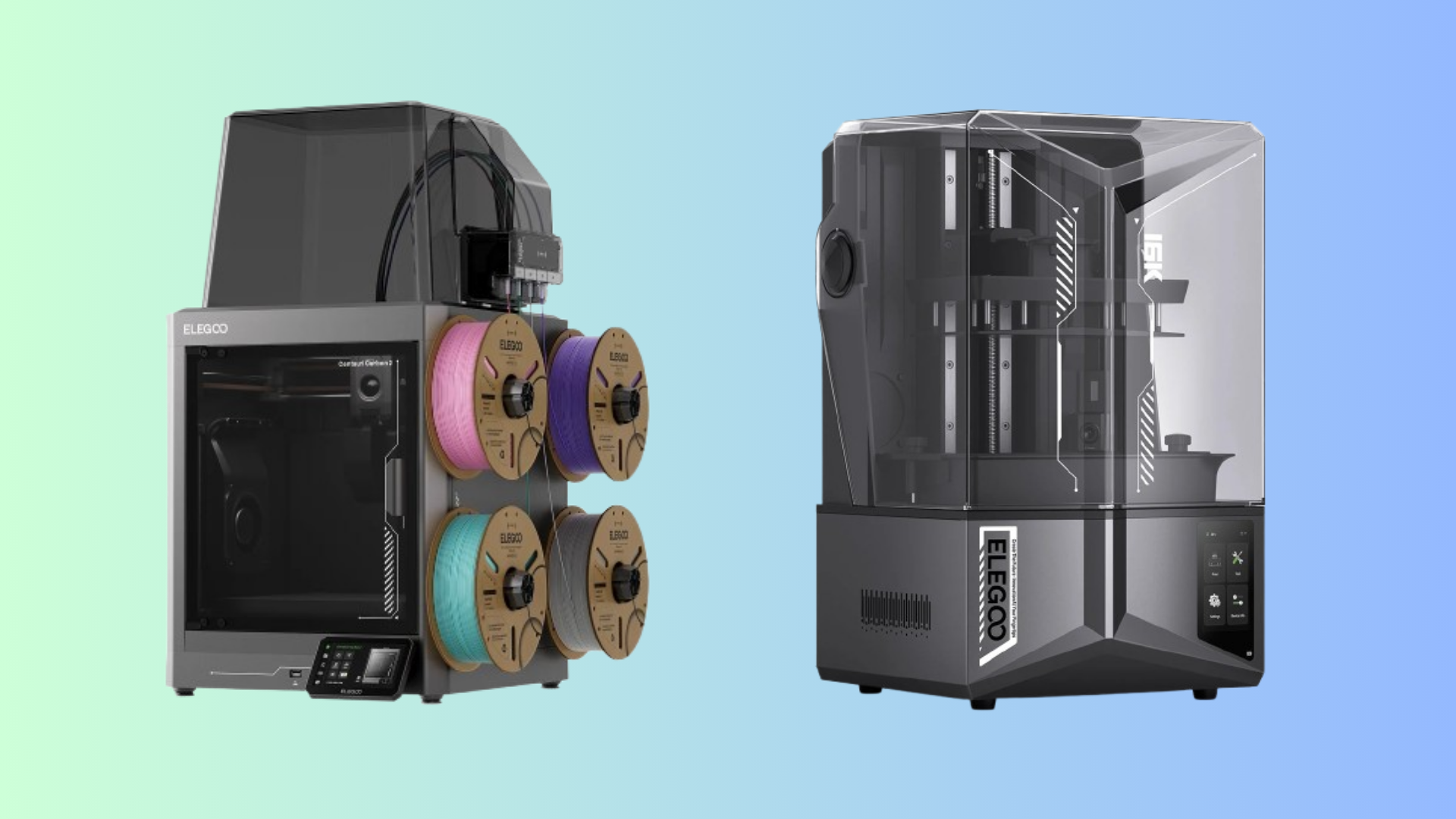
Elegoo also sells a Centauri 2 Combo for $379 that adds a four-filament CANVAS system. That bundle is worth considering if multicolor printing is your main goal. The base Centauri 2 is the better value if you mainly print single-color parts and want the best motion system you can get for the money.
The Bottom Line
The Elegoo Centauri 2 punches well above its price class. It delivers CoreXY performance that used to cost twice as much, with print quality that holds up against more expensive machines. The noise, lack of camera, and external runout sensor are real drawbacks, but they are easy to live with if you know what you are buying. At $299, this is the budget CoreXY to beat in 2026.
Comments (0)
No comments yet. Be the first!
Leave a Comment