The Centauri Carbon 2 Combo adds Elegoo's CANVAS multicolor system to an already solid CoreXY platform, making four-material FDM printing genuinely affordable.
The upgrade that mattered
Elegoo's original Centauri Carbon arrived as a surprise. A CoreXY printer with a fully enclosed chamber, quiet motors, and a price under $400 did not fit the usual budget-printer story. The one missing piece was multicolor printing. Owners waited more than a year for an upgrade path. The Centauri Carbon 2 Combo is Elegoo's answer: the same reliable platform, now with four-color capability built in.
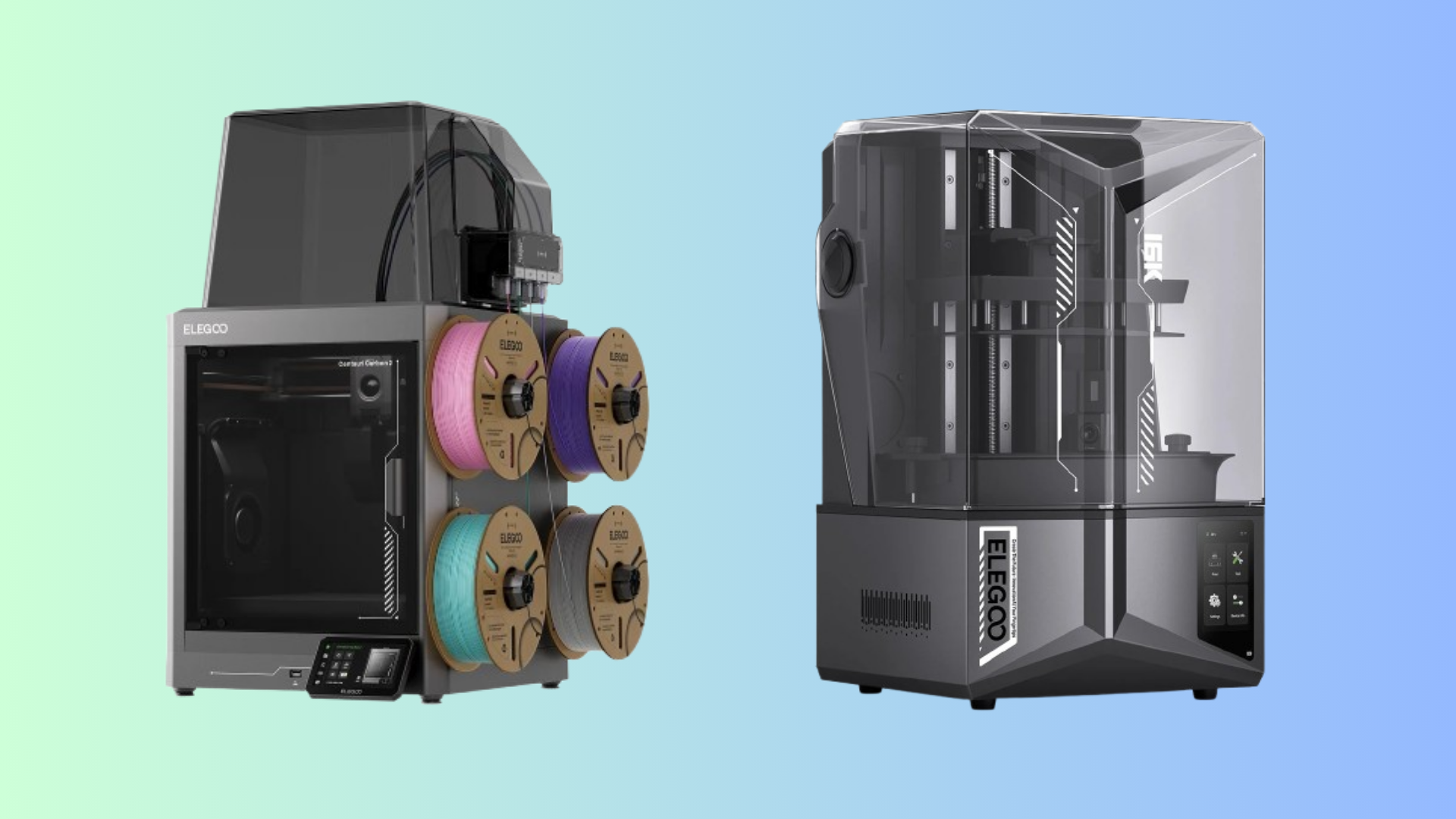
The key addition is the CANVAS system. Four filaments feed through a compact module mounted on the side of the printer and converge at a single nozzle. The module is smaller than the external dry-box setups used by some competitors, which keeps the overall footprint reasonable. Setup takes about 15 minutes, and the slicer auto-assigns colors to model faces with a few clicks.
Build and hardware
The print volume stays at 256 x 256 x 256 mm. The frame is metal with a glass front door and a plastic dome that covers the filament path from the CANVAS module to the toolhead. That dome cuts noise and helps maintain chamber temperature. Elegoo says the printer runs under 45 dB, and in practice it is noticeably quieter than the original Carbon.
A hardened steel nozzle now handles temperatures up to 350 C, and the heated bed reaches 110 C. The extra headroom makes ABS, ASA, and polycarbonate realistic options. The smart grille at the top automatically vents or recirculates chamber air depending on the filament, which is a thoughtful touch for users who switch between low-temperature PLA and high-temperature engineering materials.
Print quality and speed
Print quality is close to the original Carbon, with slightly smoother layer lines on tall models. The maximum speed is listed at 500 mm/s with 20,000 mm/s squared acceleration, but real-world performance depends heavily on slicer settings and geometry. Multicolor prints work reliably, though purge waste is substantial. Expect to sacrifice filament for color changes, especially on models with many small color islands.
One surprising finding from side-by-side testing: the original Carbon with the separate CANVAS upgrade sometimes finished multicolor prints faster than the Carbon 2 Combo. Elegoo confirmed that the external CANVAS unit on the older printer switches filaments more quickly than the integrated setup on the Combo. The difference is not huge, but it is real enough to matter on long prints.
Software and connectivity
Elegoo's slicer is a fork of Orca Slicer with a simplified interface. It auto-detects printers on the network, handles color assignment by face painting, and sends jobs directly to the machine. Remote monitoring works through the Elegoo Matrix app, though starting prints from the phone is not yet supported.
Some users reported cloud connectivity errors during early testing. The printer still completes jobs offline once the file is loaded, but remote status updates can lag or show the wrong state. Elegoo is patching the cloud service, so this may resolve before most units ship.
Who should buy it
The Centauri Carbon 2 Combo is the cheapest way into four-color FDM printing. At $449 in the US and around GBP 399 in the UK, it undercuts most competing multicolor machines by a wide margin. The enclosed design, quiet operation, and broad material support make it a good all-rounder for home users and small studios.
If you already own the original Centauri Carbon, the $55 CANVAS upgrade is a cheaper way to add multicolor capability. The Carbon 2 Combo earns its premium only if you value the quieter dome, smarter venting, and out-of-box simplicity enough to spend an extra $400.
Skip it if you need a large build volume, modular upgrade paths, or business-grade throughput. The 256 mm cube is limiting for cosplay props, and the single-nozzle multicolor system generates more waste than a true multi-nozzle setup. For everyday prints in one or two colors, the original Centauri Carbon or other budget CoreXY printers will serve you just as well.
Comments (0)
No comments yet. Be the first!
Leave a Comment