A clogged nozzle, wet filament, or bad slicer settings can stop extrusion cold. Here is how to diagnose and fix the problem yourself.
Few things waste more time than watching your printer trace a perfect outline while nothing comes out of the nozzle. Extrusion failures have a handful of common causes, and you can usually isolate the problem in minutes with a simple checklist.
Start With the Filament Path
Before you tear down the hotend, make sure the filament can actually reach it. A tangled spool, a tight Bowden tube, or a crushed section of PTFE tubing adds enough resistance to stall the extruder. Pull the filament through by hand and feel for snags. If the path is clear, move on.
Check Temperature and Clogging
Filament must melt fully before it passes through the nozzle. If the temperature is too low, the material stays solid and builds pressure until the stepper motor skips. Increase the hotend by 5 to 10 degrees within the filament's rated range and watch for improvement. A partial clog produces the same symptom, so if the temperature looks correct, try a cold pull to clear the nozzle.
Inspect the Extruder Gears
The drive gears grip the filament and push it into the melt zone. If the teeth are packed with dust or the idler tension is too loose, the gear slips instead of feeding. A quick brush clean and a slight tension adjustment often fixes the issue. Look for flattened or stripped filament as a sign that the gears have been grinding.
Watch for Heat Creep
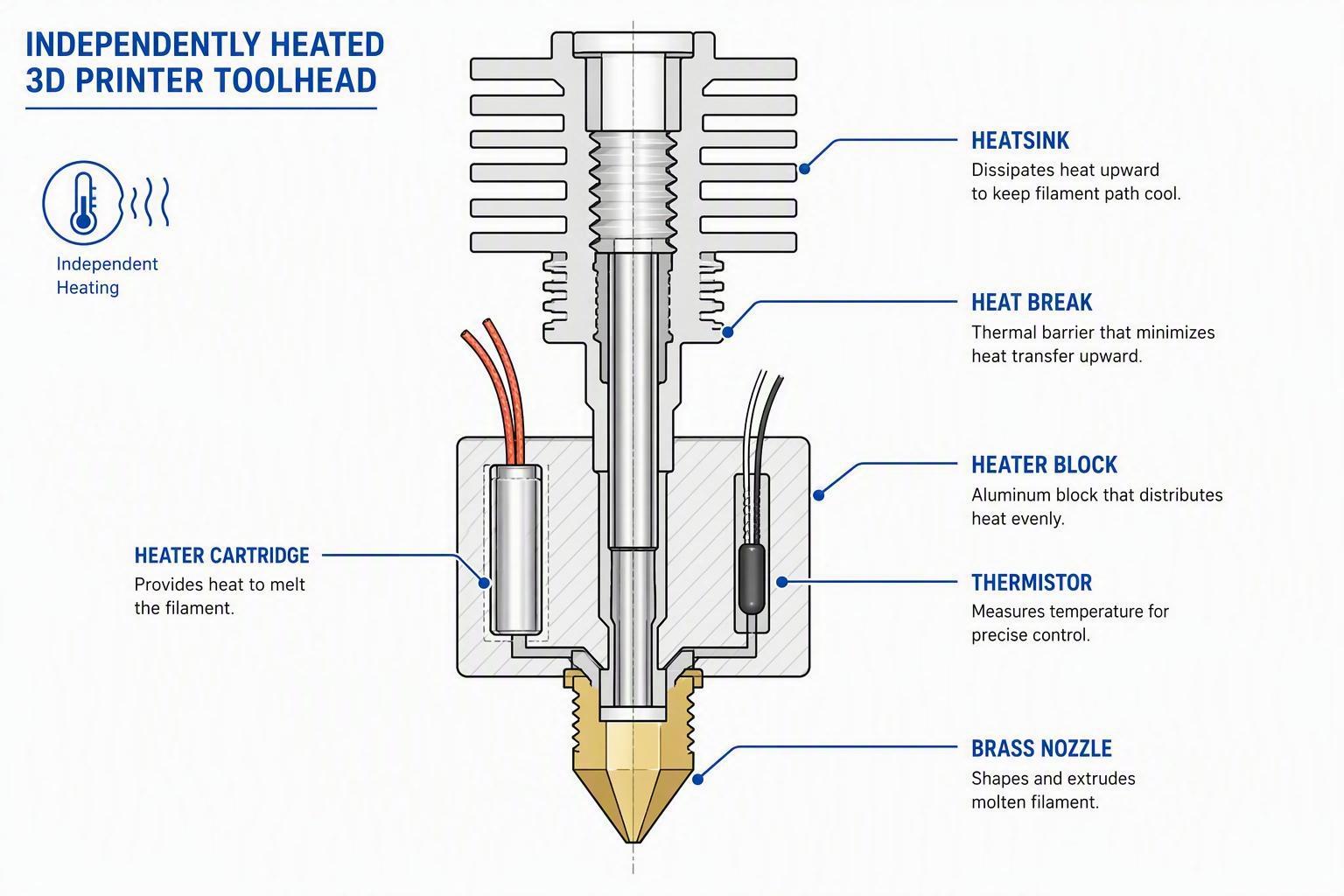
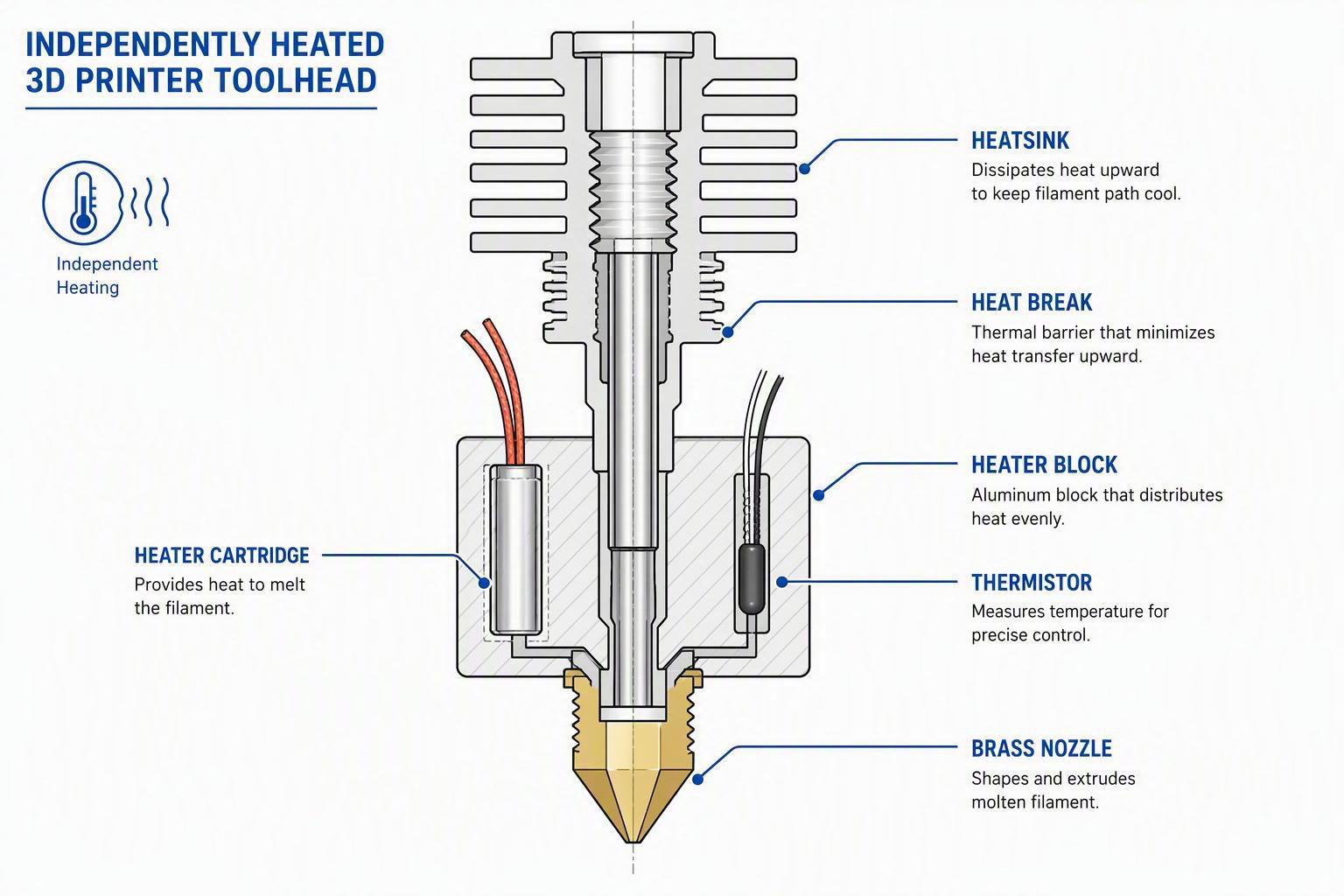
Heat creep happens when warmth migrates up past the heatbreak into the heatsink. The filament softens too early and expands inside the cold zone, blocking flow. This usually shows up 15 to 45 minutes into a print. Make sure the heatsink fan is spinning freely and that its vents are clear of dust.
Dry Your Filament
Nylon, PETG, TPU, and even PLA absorb moisture from the air. Wet filament steams inside the hotend, causing popping sounds and inconsistent flow. Store spools in a dry box and run any suspect filament through an active dryer before printing.
Review Slicer Settings
Retraction distances that are too long pull molten plastic into the cold zone and jam the nozzle. Flow rates set too high can overwhelm the hotend. Stick to manufacturer defaults for retraction and flow until you have confirmed the hardware is healthy.
When to Replace the Nozzle
Nozzles wear down over time, especially when printing abrasive materials like carbon fiber or glow-in-the-dark PLA. If cleaning does not restore flow, replace the nozzle. It is one of the cheapest parts on the printer and often the fastest fix.
Comments (0)
No comments yet. Be the first!
Leave a Comment